
Brick - Take Back Control of Your Screen Time
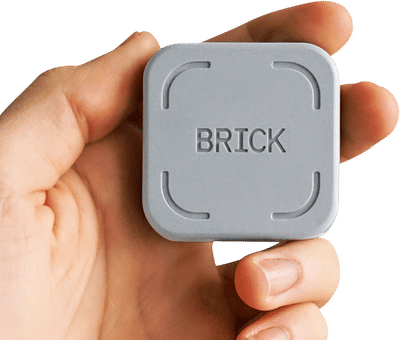
I was skeptical of the Brick but it has genuinely helped stop the endless scroll. I set mine to “brick” 5pm-7am, and it turns off all social media. It took me a couple months, but now I never un-brick during the schedule, and I usually don’t even try to open instagram. I think you can get a lot more specific with how you use it, but this is a win for me for now
I currently don’t have it block RL, as I don’t get stuck scrolling eternally here.
2 days ago
Comments
Sign up to leave a comment.
Across Rec League
Brick

Haley Mai
“no phone/socials for the first couple of hours (if you can). i recently bought a Brick and it's been a HUGE help, very much recommend. coffee + breakfast outside, get sunshine on your face. bonus points if you have a cat that enjoys supervised outdoor enrichment time too. sudoku or any brains puzzle. it really feels like giving your brain its first deep breath of the morning lol some kind of morni”

Julie Martin
“I use this almost everyday and it actually works. You can specify which apps you use the most and need a break from. When you tap the brick, it locks you out of those apps until you tap back in. I put mine on my fridge and tap out before I leave for the day. Works amazing for trips too, you can completely be social media free!”

Sarah
“Gave to my chronically online gen-z sister. When I Brick, I know peace. I actually sigh when all of my social apps (including this one) are Bricked.”









Follow Emily
By submitting, you agree to our Terms and Privacy Policy